
The Wayback Machine: Your Website’s Secret Time Travel Button

Ever wish you could jump in a DeLorean and see what your website looked like[1] five, ten, or even twenty years ago?
Good news: you don’t need a flux capacitor. You need the Wayback Machine[2].
This free tool lets you pull up old versions of almost any website — pixel by pixel, typo by typo. It’s part nostalgia trip, part research tool, and part design inspo board.
And yes, it works on your site too (brace yourself for those 2010 gradients).
Why This Is Actually Useful (Not Just Fun)
Sure, it’s entertaining to cringe at your old homepage fonts. But the Wayback Machine isn’t just for laughs. Here’s why it matters:
- Competitor intel: See how other brands have evolved their copy, design, or product pages.
- Design inspiration: Spot patterns in colour schemes, layouts, and trends.
- Content recovery: Grab that blog post you accidentally deleted three rebrands ago.
- Frontend data checks: Look back at what your site actually displayed at a given time.
How to Use the Wayback Machine (in 5 Seconds Flat)
- Head to web.archive.org[3]
- Paste in the URL you want to explore

- Pick a year from the timeline

- Click a date on the calendar
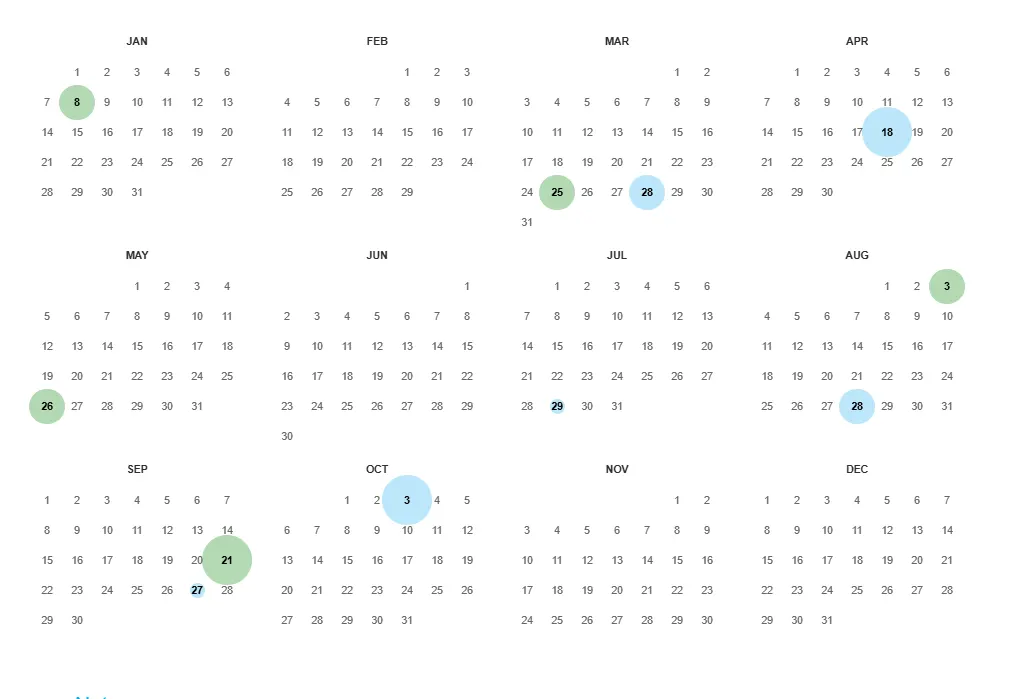
- Boom — you’re back in internet history
Final Takeaway: The Internet Never Forgets
The Wayback Machine is more than just digital nostalgia. It’s a free, surprisingly powerful tool for marketers, designers, researchers — and anyone curious about how the web has evolved.
So go ahead. Type in your URL, click a date, and prepare for either a proud moment… or a “what was I thinking?” kind of cringe.
Need a website that looks good today (and ten years from now)?
That’s where we come in. We’re Cular, and we build websites + digital strategies that don’t just survive the archives, they stand out.
Subscribe to our newsletter for
smart marketing tips, zero fluff, and a dose of digital wit straight to your inbox.